Your Google Business Profile (formerly Google My Business or GMB) is often the very first interaction a potential customer has with your brand. It’s your digital storefront, and just like a physical shop, its appearance matters. While your reviews, hours, and address are crucial, nothing makes a more immediate impact than your images.
High-quality, optimized Google My Business images can be the deciding factor between a customer choosing you or scrolling right past to a competitor. They build trust, showcase your value, and are a powerhouse for local SEO.
But simply uploading a few random photos isn’t enough. To truly stand out, you need a strategy. This guide will walk you through everything from the essential image guidelines to the pro-level optimization techniques that will put you ahead of the competition.
Why Your GMB Images Are a Local SEO Goldmine
Before we dive into the “how,” let’s understand the “why.” Investing time in your GMB photos is one of the highest-return activities for any local business.
Boosts Engagement: Profiles with photos receive significantly more clicks to their website and requests for directions than those without. Visuals capture attention and encourage action.
Builds Trust and Credibility: Authentic photos of your location, team, and products show that you’re a real, legitimate business. Customers are more likely to trust what they can see.
Increases Visibility: Google’s algorithm favors complete and active profiles. Regularly adding fresh, high-quality images signals to Google that your business is active and relevant, which can improve your ranking in the local map pack.
Sets Customer Expectations: Show customers what they can expect. Photos of your interior, the quality of your products, or your friendly staff can create a positive first impression before they even set foot in your door.
The Key Types of Photos Your Business Profile Needs
To create a comprehensive and appealing profile, you should include a variety of images. Here are the essential categories:
Logo: This is your brand’s identifier. Google prominently displays your logo, helping customers instantly recognize your business. Make sure it’s a clean, high-resolution version.
Cover Photo: This is your profile’s hero image. It should be a compelling, high-quality photo that best represents your business’s personality and offerings. While Google has the final say on what appears, setting a great cover photo increases your chances.
Exterior Photos: Add at least 2-3 photos of your storefront from different angles and at different times of day. This helps customers recognize and find your business when they visit.
Interior Photos: Showcase the ambiance and layout of your business. Show off your decor, seating areas, or the general atmosphere to make customers feel welcome before they arrive.
Product & Service Photos: These are crucial. Display your best-selling products, delicious dishes, or showcase your services in action. This gives customers a clear idea of what you offer.
Team Photos: Humanize your brand! A photo of your friendly staff can make your business seem more approachable and trustworthy.
Google’s Official Image & Video Guidelines (The Simple Version)
To ensure your photos look their best and are approved by Google, you need to follow their technical requirements. Here’s a simple breakdown:
Photo Guidelines:
Format: Stick to JPG or PNG.
File Size: Keep it between 10 KB and 5 MB. This ensures good quality without being too slow to load.
Resolution: Aim for a recommended size of 720 x 720 pixels. The absolute minimum is 250 x 250 pixels.
Quality: This is non-negotiable. Your photos must be in focus, well-lit, and realistic. Avoid heavy-handed filters or significant alterations. The goal is to represent reality.
Video Guidelines:
Duration: Keep them short and sweet—up to 30 seconds.
File Size: Maximum of 75 MB.
Resolution: 720p or higher for clear, crisp playback.
The Secret Weapon: How to Optimize Your Images Before You Upload
Uploading a high-quality photo is great, but uploading a fully optimized photo is how you win at local SEO. The most powerful, yet often overlooked, optimization technique is geotagging.
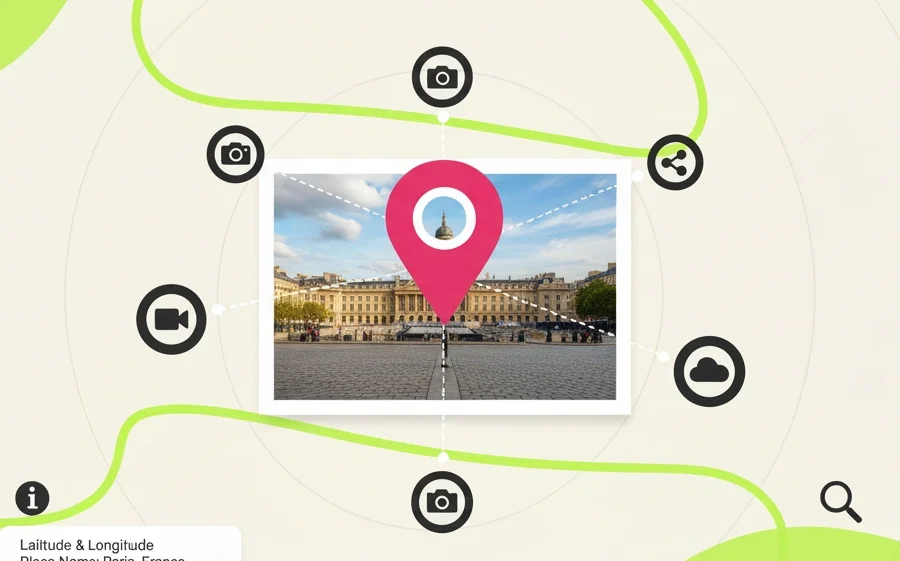
Geotagging embeds precise location coordinates into your image’s hidden data (metadata). When you upload this photo to Google, you’re sending a powerful signal that your image—and therefore your business—is directly connected to that specific physical location. This reinforces your local relevance and can significantly boost your visibility in “near me” searches.
Manually doing this is complicated, but with the right tool, it’s incredibly simple.
This is where Geomakers.io gives you an unfair advantage.
Geomakers.io is designed to make geotagging and image optimization effortless. Instead of just uploading a standard image to GMB, you can supercharge it first in just a few clicks:
Upload Your Images: Drag and drop all the photos you plan to use for your GMB profile into Geomakers.io.
Geotag with Precision: Use the Google Maps-powered search to pinpoint your exact business address. This embeds the correct GPS data into every photo.
Add SEO Metadata: Add relevant keywords (e.g., “best coffee shop downtown,” “emergency plumber near me”) and a description to further enhance your images.
Optimize and Download: Compress your images to the perfect file size (improving load speed) and download them as GMB-ready JPEGs.
By taking this simple pre-upload step with Geomakers.io, you provide Google with rich, location-specific data that your competitors are likely ignoring.
Ready to turn your images into powerful ranking tools? Start optimizing with Geomakers.io today!
A Quick Guide to Managing Photos on Your Business Profile
Once your photos are optimized, it’s time to upload them.
How to Add Photos & Videos:
Open the Google Maps app on your device and navigate to your Business Profile.
Tap “Promote” and then “Add photo.” You can also often find an “Add a photo” button directly on your profile view.
Select your optimized photos or videos from your device.
Tap “Post” to upload them.
Remember, after you upload a photo or video, Google reviews it. You might see a “Pending” status for up to 24-48 hours before it goes “Live.” If it’s “Not approved,” it has violated one of Google’s policies.
Take Control of Your Digital Storefront Today
Your Google Business Profile images are not just decorative elements; they are active assets working to attract customers and grow your business. By following Google’s guidelines, showcasing a variety of high-quality photos, and taking the crucial step of optimizing them with geotagging, you can transform your profile into a customer-attracting machine.
Don’t settle for a basic profile. Give your business the visual edge it deserves.